




Profile and verification
Open the account area to confirm your phone status and stored profile details. This is also where you can identify incomplete account steps before entering the cashier or requesting a withdrawal.
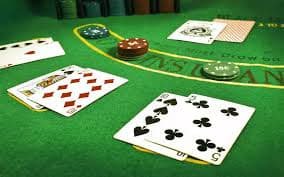
paragon88 places Live Baccarat Salon, Cendrawasih Wild Megaways and MotoGP Race Bet within one account path, with local wallet status beside the lobby.
Access is available only where local law permits.
Casino tables, slots, arcade rooms and sportsbook markets sit within one visual Home layout, ready for quick category changes.
Pragmatic Play, PG Soft and Habanero appear alongside other familiar studios, with each provider reachable through the Home lobby filter.
Local cashier access is visible from the Home header, with DANA, OVO, GoPay and QRIS listed by their familiar names.
Useful Home destinations should answer practical questions before you open a round. We keep account status, cashier progress, current offers, policy access and help routes within the main…
Open the account area to confirm your phone status and stored profile details. This is also where you can identify incomplete account steps before entering the cashier or requesting a withdrawal.

The cashier displays available local rails and the status attached to each request. Keep your DANA, OVO or GoPay receipt available if our help team asks for a transaction reference.
Our promo board shows what is currently running and links each entry to its conditions. Read eligibility, game category and account requirements there before choosing whether an offer fits your lobby visit.
Policy links remain available from the Home footer. You can read account conditions, privacy handling and access wording without entering a game or moving away from the main brand site.
A clear first visit begins with your phone number, account details and the category you want to open.
Enter the requested account details and an active phone number. We send the phone verification step before account access, reducing confusion between account creation and the separate login screen.
Check your displayed name, phone status and wallet details from the account area. Accurate entries matter when we compare a withdrawal request with the details already attached to your account.
The Home navigation separates slots, live casino, arcade titles and sportsbook markets. You can move from Cendrawasih Wild Megaways to badminton markets without opening another account.
Use a private password, avoid sharing verification messages and log out after using a shared device. Our account menu keeps the logout control visible beside your profile and cashier access.
Account and wallet questions should have a clear destination. The Home help panel links live chat, email and mobile assistance without sending you through the game catalogue. Current chat availability is displayed inside that panel, and email remains useful when you need to attach a payment receipt or explain several account steps. Before contacting us, note your account name, transaction reference and visible status. Do not include your password or phone verification message.
Open live chat from the Home help panel for login, verification or wallet-status questions. The panel shows current availability, helping you decide whether to start a conversation or use email.
Email provides a written path for requests needing a receipt or longer explanation. Include the relevant transaction reference and visible status, but leave out your password and verification messages.
The mobile help control stays near the cashier and account menu. You can check a stalled DANA request or phone-access issue without returning to a computer screen.
The mobile Home layout places login, lobby search and cashier access within one browser path, with no separate application required.

Phone verification creates a clear checkpoint before your account opens fully. We also keep login, profile and logout controls separate, helping you recognise which action you are taking.
Scattered searches can separate game links, wallet instructions and account help into unrelated pages.
Home connects account creation, phone verification and later login through clearly labelled steps. Scattered links can obscure which stage you reached or send you toward an unrelated credential screen.
Casino, slots, arcade rooms and sportsbook markets sit under the same category navigation. You can change interests without searching again for a separate product page or account entrance.
The Home header links to the cashier where local rails and request status appear together. Separate wallet pages can make it harder to connect a transaction with your account activity.
Live chat availability, email help and mobile assistance are grouped near account and cashier controls. This keeps a stalled wallet status from becoming a search across unrelated contact pages.
Terms and privacy links remain in the Home footer across the main lobby. You can check account wording from the same site rather than depending on summaries found elsewhere.
Phone, tablet and computer layouts retain familiar category and account controls. The arrangement adapts to screen size without changing the account or creating a separate mobile profile.
Game details differ by title, so we do not apply one return figure to the entire Home lobby.
Check the title panel for displayed return data, feature rules and stake choices.
Open the table screen for table limits, game rules and current seat context.
Read the round mechanics and available controls within the individual game panel.
Use the title instructions to understand controls, targets and round behaviour.
Read the market name, selection terms and displayed odds before confirming a selection.
Our browser-based Home lobby is designed for connections across Indonesia, including phone access from Semarang. You can reach the same account, category navigation and cashier path on mobile, tablet or computer, subject to connection quality and device settings. Regional access and eligibility depend on local law. If the page does not load, check your network, refresh the browser and use the Home help panel when available rather than relying on an unfamiliar third-party page.
A useful Home page should show what you can do without making you hunt through menus.
These answers cover the practical Home questions we hear about account access, lobby categories, local wallet rails, mobile use and help. The exact screen shown to you can depend on device size, account status and regional availability. Check the relevant Home panel before continuing, particularly when entering personal details or confirming a cashier request. Access and eligibility depend on local law.
Begin with the Home category row when you already know whether you want slots, live casino, arcade games or sports.
Choose Slots from the main category row, then use mobile search for Cendrawasih Wild Megaways or another title.
Open Live Casino to find streamed baccarat, roulette, Dragon Tiger and blackjack context.
Select Sportsbook for football, badminton and basketball markets.
Use the help panel beside account and cashier access when login or wallet status stalls.